
ER Diagram
The ER Diagram viewer generates a live, interactive entity-relationship diagram directly from your database schema. Tables appear as nodes; foreign key relationships appear as edges connecting them. The layout is computed automatically using the Dagre graph layout engine.
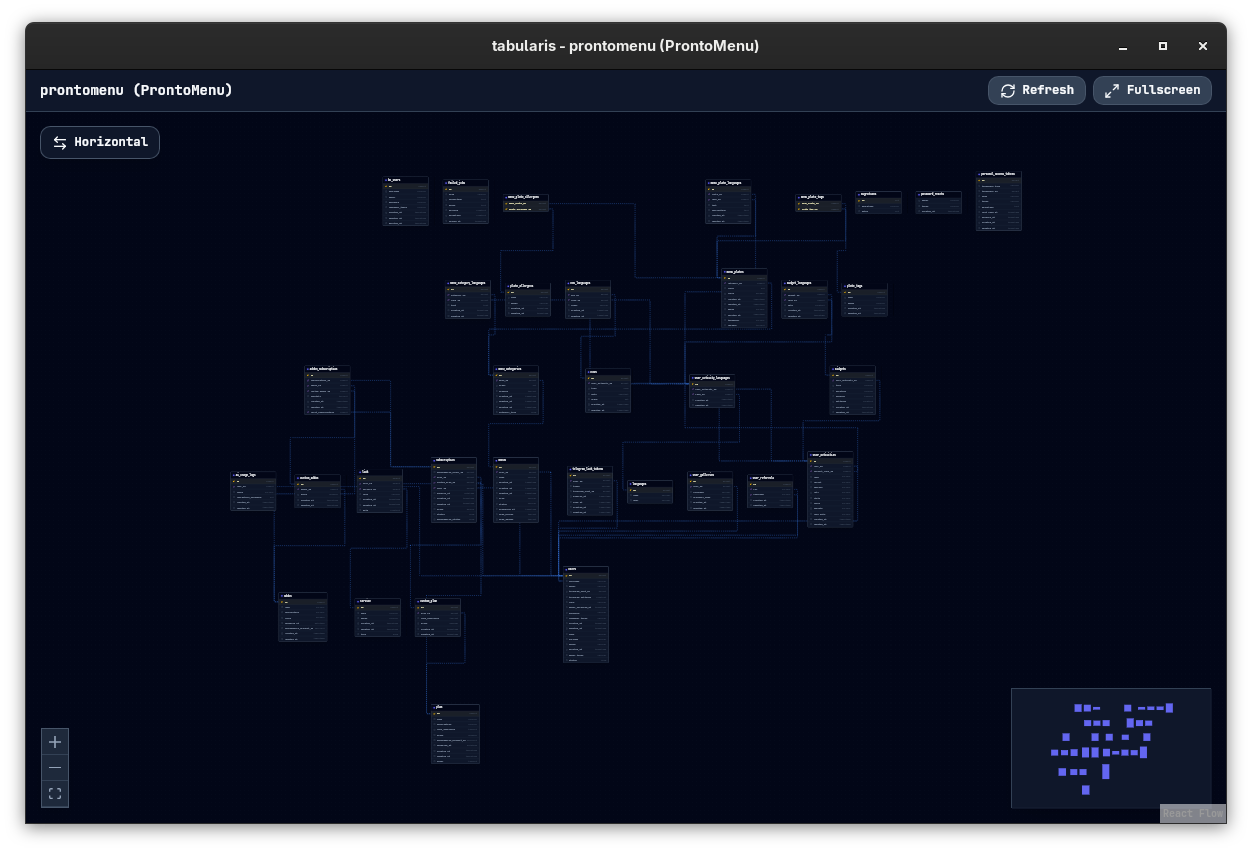
Opening the ER Diagram
Right-click a database or schema in the sidebar and choose Open ER Diagram. The diagram opens in a new window dedicated to that connection and schema.
Interface
The diagram window has a minimal header with:
- Connection / Database / Schema — shown at the top so you always know which schema you're viewing.
- Refresh button — re-fetches the schema from the database and redraws the diagram.
- Fullscreen toggle — expands the diagram to fill the entire display. Press
Escto exit.
Nodes
Each table is a node showing:
- Table name (header)
- Column list with data types
- Primary key indicator
- Foreign key indicator (columns that participate in a relationship)
Edges
Foreign key constraints are drawn as directed edges from the referencing column to the referenced table. The direction follows the FK definition — the arrow points from the child (referencing) table to the parent (referenced) table.
Navigation
| Action | Result |
|---|---|
| Scroll wheel | Zoom in / out |
| Click + drag (on canvas) | Pan the view |
| Click + drag (on a node) | Move the node to a custom position |
| Double-click (on canvas) | Reset zoom and center the diagram |
Layout Options
Tabularis supports two Dagre layout directions, configurable in Settings → General:
| Setting | Description |
|---|---|
TB (Top-Bottom) |
Tables are laid out from top to bottom — works well for tall schemas with many relationships. |
LR (Left-Right) |
Tables flow left to right — better for wide schemas with fewer levels. |
The setting is stored as erDiagramDefaultLayout in config.json. Changing it and reopening the diagram applies the new layout.
Refreshing the Schema
The ER Diagram reads the schema at the time you open it. If you modify tables (add columns, create foreign keys) while the diagram is open, click Refresh to reload the schema and redraw the diagram with the latest structure.
Supported Relationships
| Database | FK Support |
|---|---|
| PostgreSQL | Full — all FK constraints in information_schema are shown. Multi-schema FK relationships are included when available. |
| MySQL / MariaDB | Full — FK constraints from information_schema.KEY_COLUMN_USAGE and REFERENTIAL_CONSTRAINTS. |
| SQLite | Partial — FK constraints are shown only if PRAGMA foreign_keys is enabled in the database file. |
| Plugin drivers | Depends on whether the plugin implements the get_foreign_keys method in its manifest. |
Export
Since v0.18.0 the toolbar has an Export button offering two text formats, both generated from the schema data already in memory:
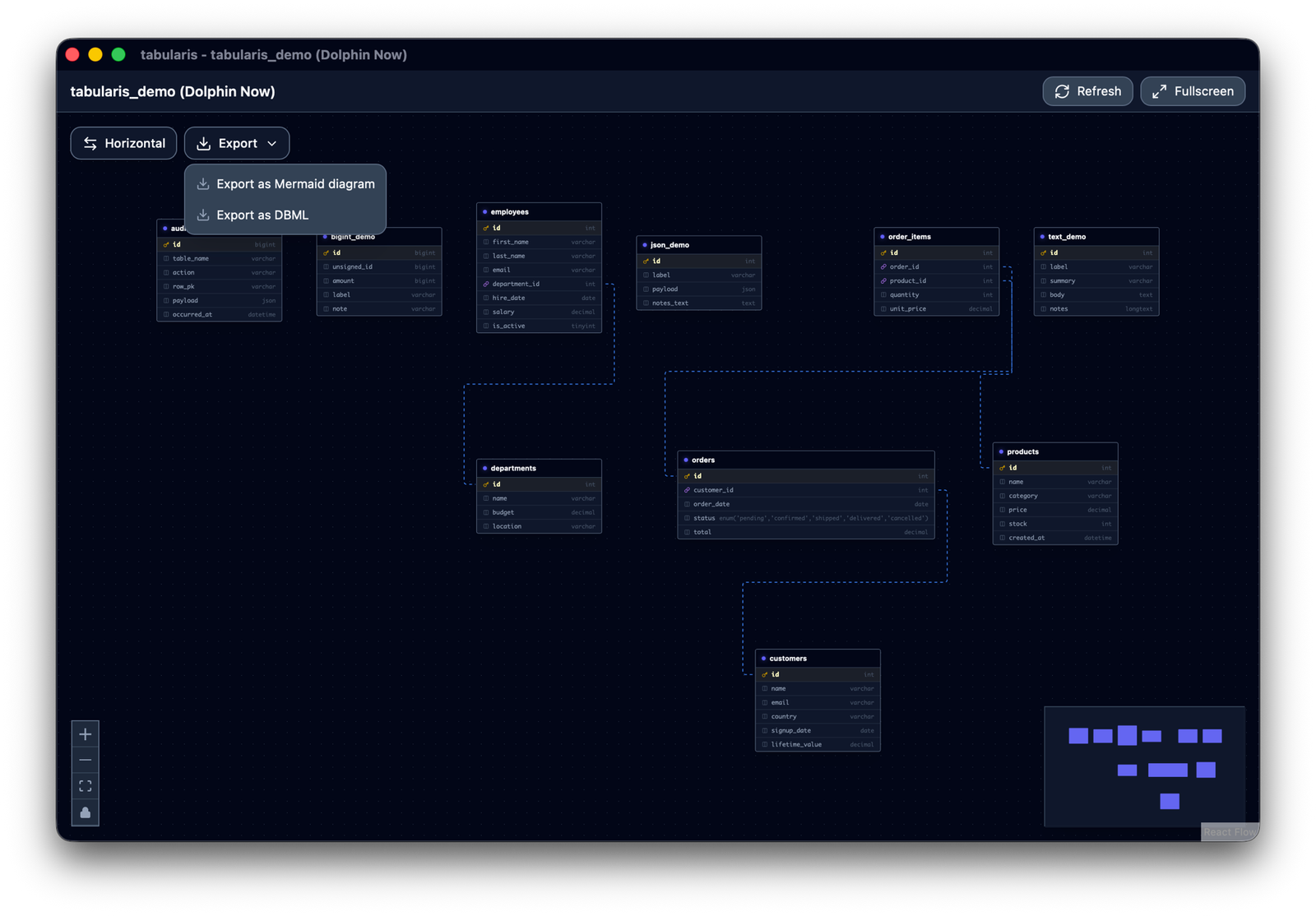
| Format | What it is good for |
|---|---|
Mermaid (erDiagram) |
Renders natively on GitHub, GitLab, Notion and most documentation tools, so the output can be pasted straight into a README. Relationships are entity-level, so the foreign-key column appears only as an edge label. |
| DBML | Keeps relationships at column level (Ref: orders.client_id > clients.id) and round-trips through dbdiagram.io and dbml-to-sql. Composite primary keys are expressed with an Indexes block, since inline [pk] cannot represent them. |
To save the diagram as an image instead, take a screenshot of the window — Cmd + Shift + 4 on macOS, Win + Shift + S on Windows, or your desktop environment's tool on Linux. Fullscreen mode first gives a larger, cleaner capture.
Notes
- The ER Diagram opens in a separate window. You can keep it open alongside the main Tabularis window while working in the SQL editor.
- For very large schemas (100+ tables), the initial layout may take a moment to compute. Dragging nodes manually after the initial render is a good way to organize dense clusters.
- Node positions are not persisted — each time you open the diagram, Dagre recalculates the layout from scratch.
- Lock node positions in the toolbar freezes the nodes where they are, so panning and zooming cannot nudge them out of an arrangement you set by hand. Toggle it off to move them again.
- Since v0.18.0 the layout estimates each node's real rendered width and height from its content instead of assuming a fixed width, so wide tables — a column with a long
enum(...)definition, for example — no longer overlap their neighbours.